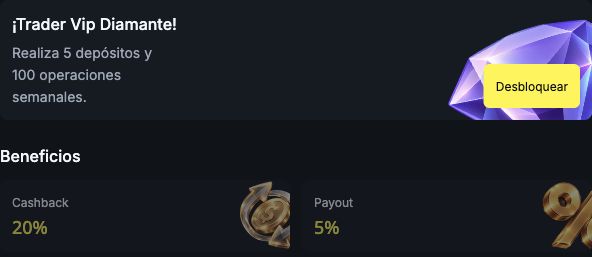
In Trader Vip, you can check your current level, compare benefits and track the week's targets.
- In the compact layout, open Navegación (Navigation) in the upper-left corner.
- Select Trader Vip.
- Check the level displayed under Tu nivel actual (Your current level).
- Select the levels at the bottom of the panel to compare their cards.
Viewing a locked card does not activate that level. Your account level remains the one displayed under Tu nivel actual.
| Level on screen | Weekly target displayed | Cashback | Additional payout |
|---|---|---|---|
| Bronce (Bronze) | 2 deposits + 100 trades | 5% | 2 percentage points |
| Plata (Silver) | 3 deposits + 100 trades | 10% | 3 percentage points |
| Oro (Gold) | 4 deposits + 100 trades | 15% | 4 percentage points |
| Diamante (Diamond) | 5 deposits + 100 trades | 20% | 5 percentage points |
For the weekly route, the website specifies eligible deposits of at least 10 USD each, with the level activated the following week. Qualification must be renewed every week. Check the full eligibility rules and special routes; your available balance and total number of trades alone do not determine your level.
The additional payout is expressed in percentage points. For example, 80% plus 5 percentage points gives 85%, before other adjustments. This does not guarantee that a trade will have a positive result.
Under Rendimiento (Performance), check the period, deposits and trades taken into account. Do not treat benefits whose availability has not been confirmed as already active.
For help with cashback, see how to claim and check your VIP cashback.