
A moving average turns a sequence of prices into a smoothed line. It helps you observe movement direction and price position relative to a reference. Because it uses already available data, it may react after a price change.
Add the average to the chart
- Open INDICADORES → Indicadores (Indicators).
- Find Moving Average under Popular or Medias móviles (Moving averages).
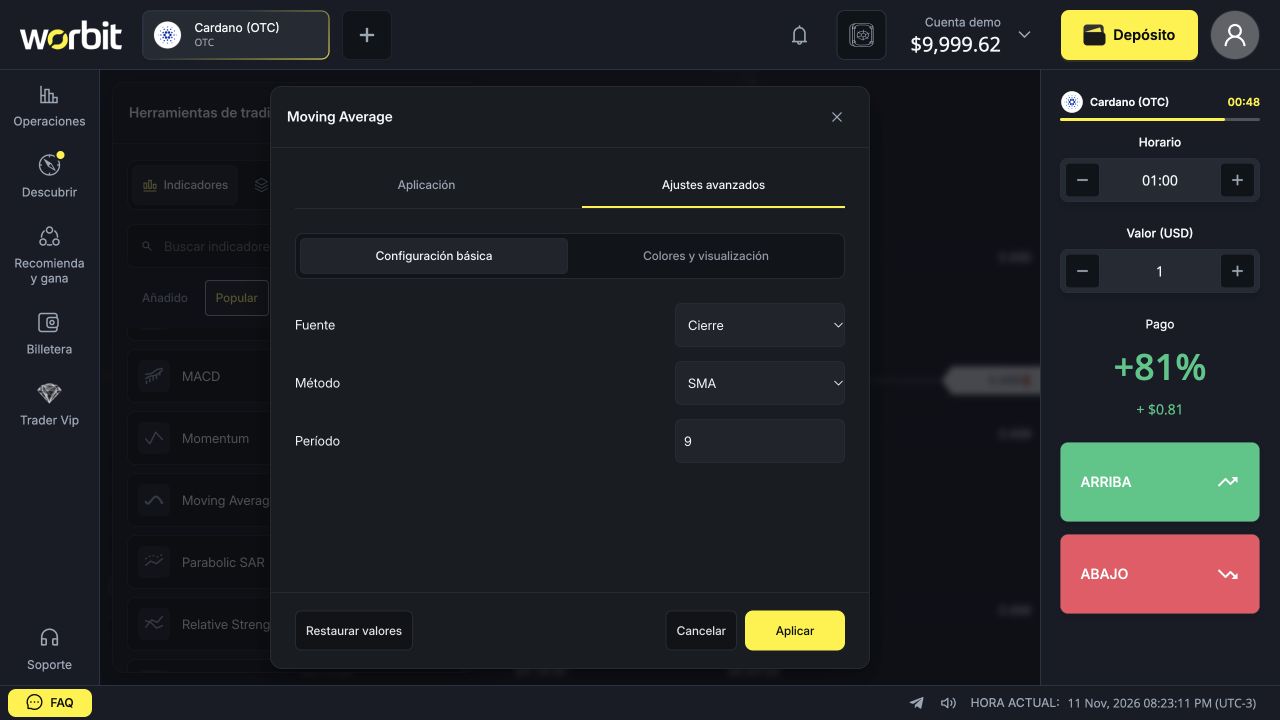
- Open Ajustes avanzados → Configuración básica (Advanced settings → Basic settings).
- Check Fuente (Source), Método (Method) and Período (Period).
- If needed, change the colour under Colores y visualización (Colours and display), then select Aplicar (Apply).
Understand the example settings
In the screenshot, Cierre uses candle closes, SMA selects a simple average and 9 sets the number of periods. An SMA based on nine closing prices gives equal weight to each close. When a new close enters the window, the oldest leaves.
If you change from 1-minute to 5-minute candles, the 9-period average follows nine five-minute candles. It does not become a nine-minute average.
How to read the line
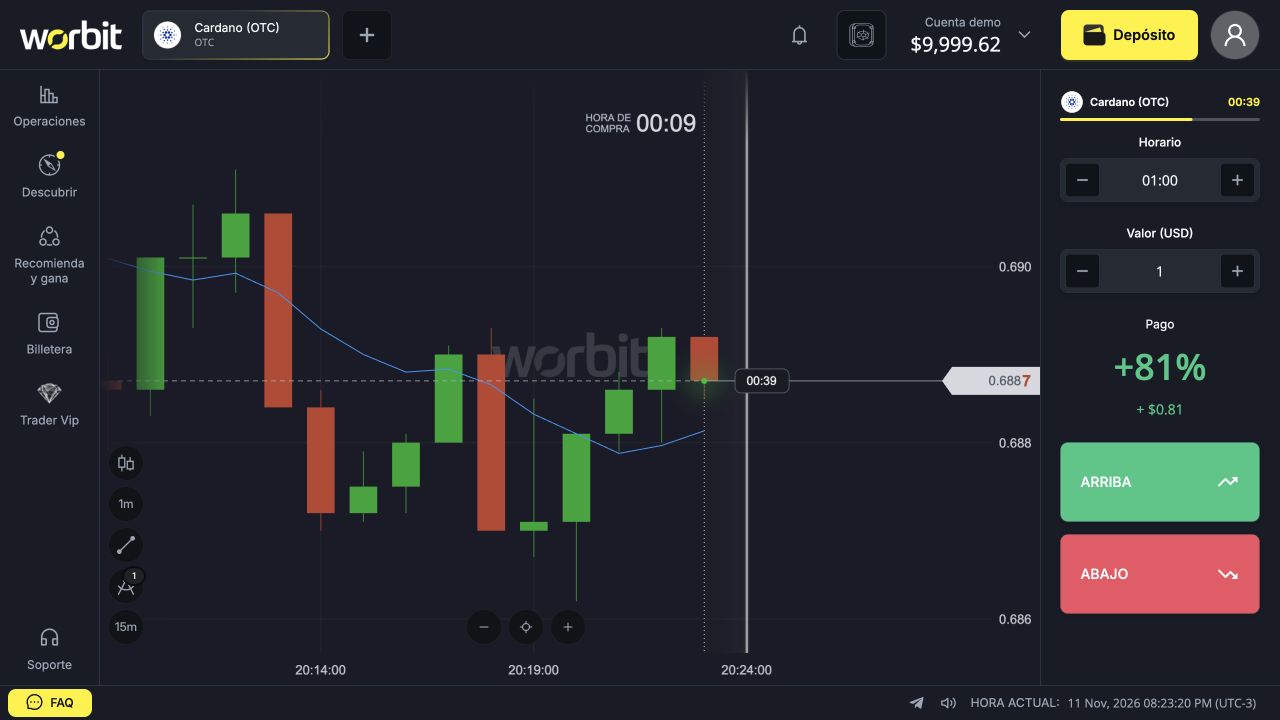
- Slope: a rising or falling line shows the average’s movement, not a guarantee for the next candle.
- Price position: check whether the price is above or below the average.
- Crossing: price may cross the average repeatedly in a sideways market.
- Distance: a large gap does not force price to return immediately.
SMA, EMA and period: what changes?
SMA gives equal weights within the window; EMA gives greater weight to recent values. The selector also offers SSMA, WMA, TMA, HMA and MEDIAN. Each method changes how the reference is built. Do not choose solely by which line seems to have been right in the past.
Generally, a shorter period follows fluctuations faster and a longer one smooths more. Faster responses may also increase unhelpful crossings. No period guarantees profit.
How to change or remove it
Open Indicadores → Añadido (Indicators → Added), find the average and select the edit icon. Confirm with Aplicar. Use the eye to hide it or its row’s X to remove it. These controls do not alter an open trade.
See also: complete guide to the 97 indicators · candle period and trade timing · chart and tool troubleshooting.