
Rewards brings together chests, codes and prizes. Open it from the platform and sign in with the same email registered to your Worbit account.
Open the programme from the broker
- Find the chest icon at the top near your balance. It opens Rewards.
- Check the count under Tus códigos (Your codes).
- Select Explorar mis cofres (Explore my chests) to visit rewards.worbit.io.
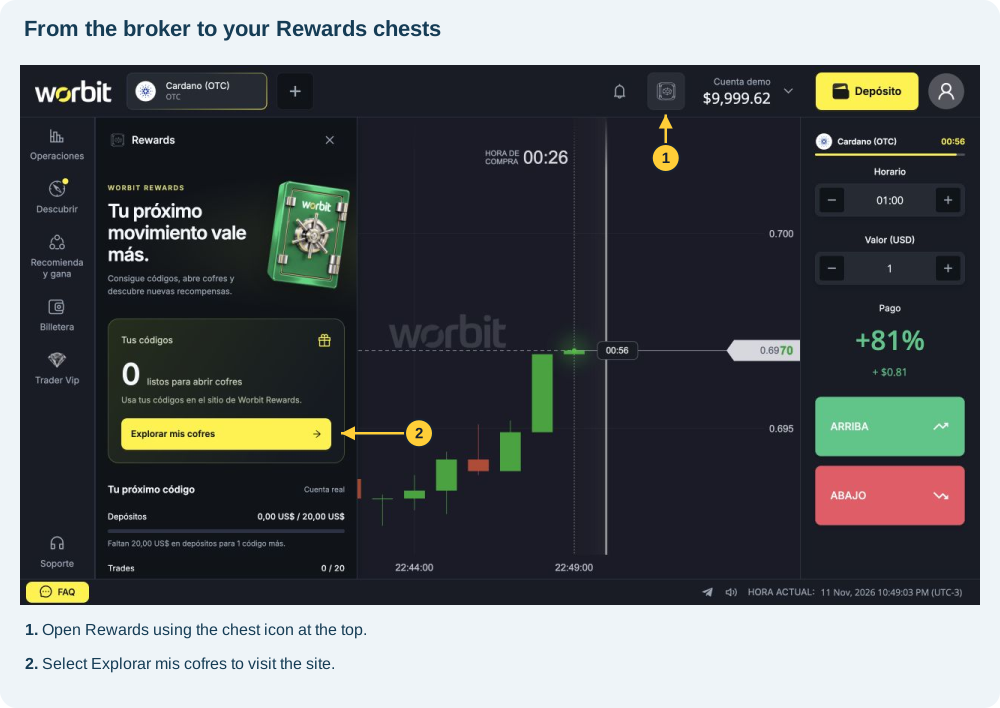
You can also visit the official site directly. Rewards may request a separate sign-in even when the broker is connected.
Sign in with your email
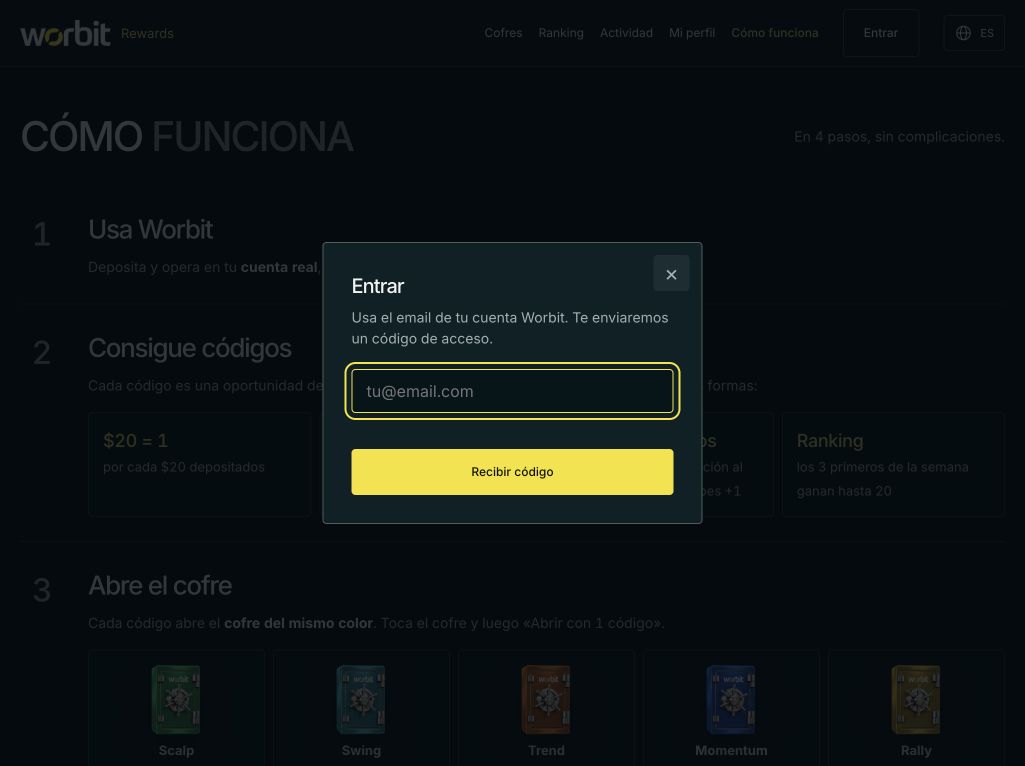
- Select Entrar (Sign in) or Entrar con email (Sign in with email).
- Enter your Worbit email.
- Select Recibir código (Receive code).
- Check that inbox and complete the website’s verification step.
Check the connected account
Check the email at the top and under Mi perfil (My profile). It must match the broker. If not, use Salir (Sign out) and enter the correct email before checking benefits.
Find what you need
- Cofres (Chests): chest types and opening options.
- Actividad (Activity): consecutive days and milestones.
- Mi perfil (My profile): codes, streak and prizes.
- Ranking: competitions and weekly standings.
- Cómo funciona (How it works): rules and examples.
The email did not arrive or my details are missing
Check the address and spam or junk folders. Use any resend options as instructed on screen. If you used another email, correct it before comparing codes and prizes. If access still fails, contact support; do not create another Worbit account.
See also: support · missing email · Google Authenticator codes · one-account rule · Rewards codes.
References: official guide, chests and broker panel, consulted on 11 November 2026.
I found the name Spins. Is it the same route?
The corporate website may use Spins. The documented interface uses Cofres and Mis cofres. Look for those labels; see opening with a code and the Daily chest.