
The Estrategias (Strategies) tab offers sets of indicators for analysis, with descriptions. Applying a set organises indicators on the chart; it does not submit a trade.
Before applying
The screen warns that a strategy replaces current indicators. Record the names and parameters you want to preserve. The notice states that scripts, candle period and trade duration remain unchanged.
Open the details
- Open INDICADORES → Estrategias (Indicators → Strategies).
- Use Buscar estrategias (Search strategies), or browse Fácil, Medio and Difícil (Easy, Medium and Hard).
- Select a card to open its details.
- Read its name, composition, market type, mentioned assets and notices.
- If you decide to apply it, select Utilizar (Use) when available.
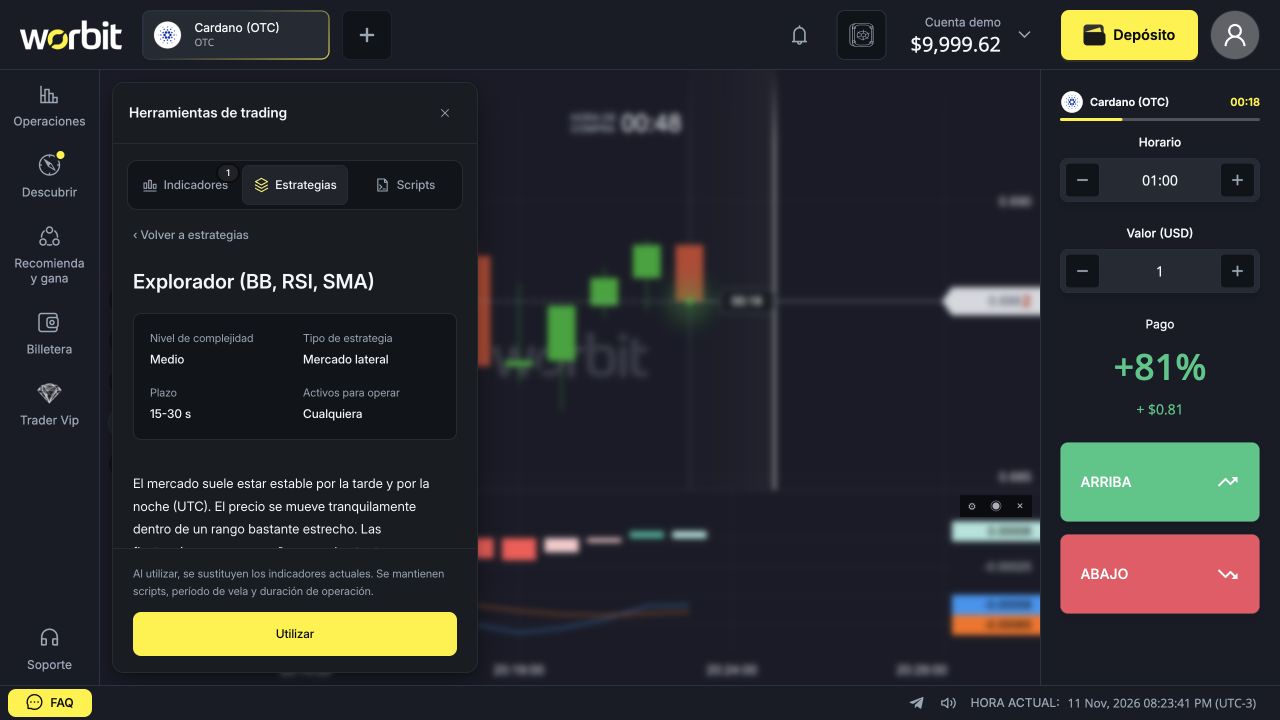
Check the result on the chart
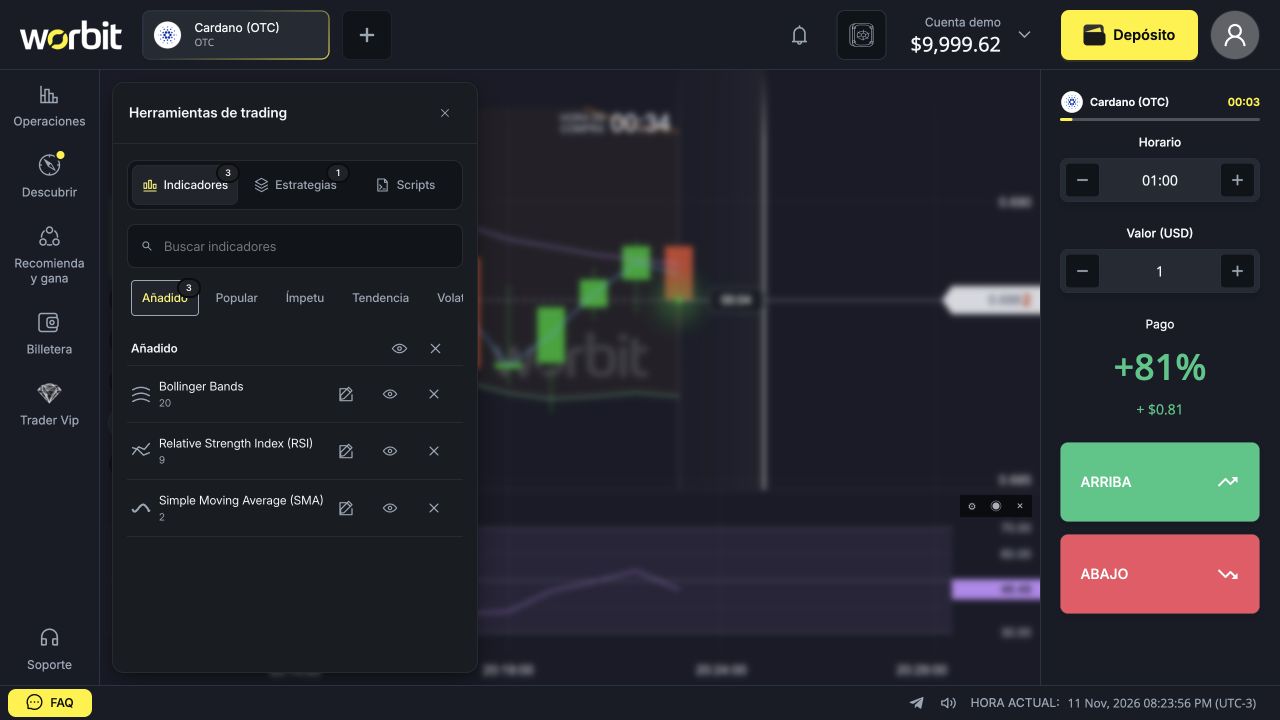
In the test with Explorador (BB, RSI, SMA), the existing MACD was replaced by three studies: Bollinger Bands, period 20; RSI, period 9; and Simple Moving Average (SMA), period 2. Candle period remained 1m and Horario remained 01:00.
Then open Indicadores → Añadido (Indicators → Added) and check studies and parameters. Do not assume the set uses the values shown when adding each indicator manually.
Does the card’s time change Horario?
Do not treat a time in the description as confirmation of the trade field. Check Horario (Time) separately. If the card, text and your settings differ, ask support before interpreting the guidance as a platform rule.
How to change or remove the set
Use Indicadores → Añadido to edit or remove studies individually. The header’s X removes all added indicators; in the test, it removed all three studies. To restore your earlier setup, add the studies again with the parameters you recorded.
Difficulty is not a profitability rating. A ready-made set does not guarantee winning trades, and conditions described as favourable may not recur.
See also: indicator guide · moving averages · RSI · Bollinger Bands.