
To correct personal details, contact support and complete the identity verification requested during the conversation, even if your KYC is approved. First identify the incorrect detail. Your display name, login email and identity details sit in different areas: changing one does not automatically correct the others.
Find the detail
| Information | Where to check |
|---|---|
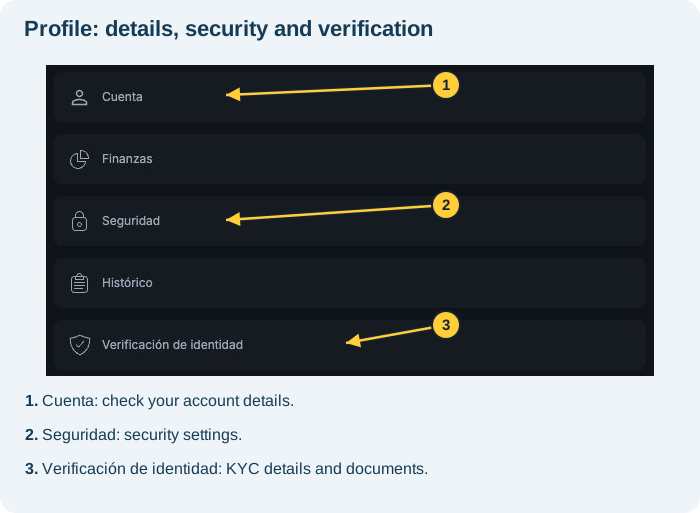
| Display name and email | Perfil → Cuenta (Profile → Account) |
| Name, nationality, date of birth and phone | Perfil → Verificación de identidad → Datos personales (Profile → Identity verification → Personal details) |
| Document type and number | Verificación de identidad → Validación de documento (Identity verification → Document validation) |
Request correction through support
- Open internal support through the Soporte (Support) icon.
- State which detail needs correcting and your KYC status.
- Complete the requested identity verification.
- Provide correct details and requested evidence through the official channel.
- Wait for confirmation, then check the relevant area.
You can start with: “I need to correct my [name/date of birth/other detail]. My KYC is [under review/approved/rejected]. How do I complete the identity verification needed to correct it?”
Must I verify again if KYC is approved?
Yes. Correcting personal details requires contacting support and verifying your identity during the conversation. Follow the specific instructions. Do not assume it is identical to 2FA recovery or that the change is immediate.
What if a field is editable?
An editable field does not replace the personal-details correction process. Use support for this request. Apodo is the display name: changing it does not automatically correct KYC details.
In the reviewed session, the email under Cuenta and full KYC name could not be edited directly. Do not create another account to bypass this.
If you lost email access, see the recovery guide. For a rejected document, check the relevant guide and the Motivo (Reason) field.
See also: language and account details · recovery without email access · rejected documents · contacting support.